Introduction
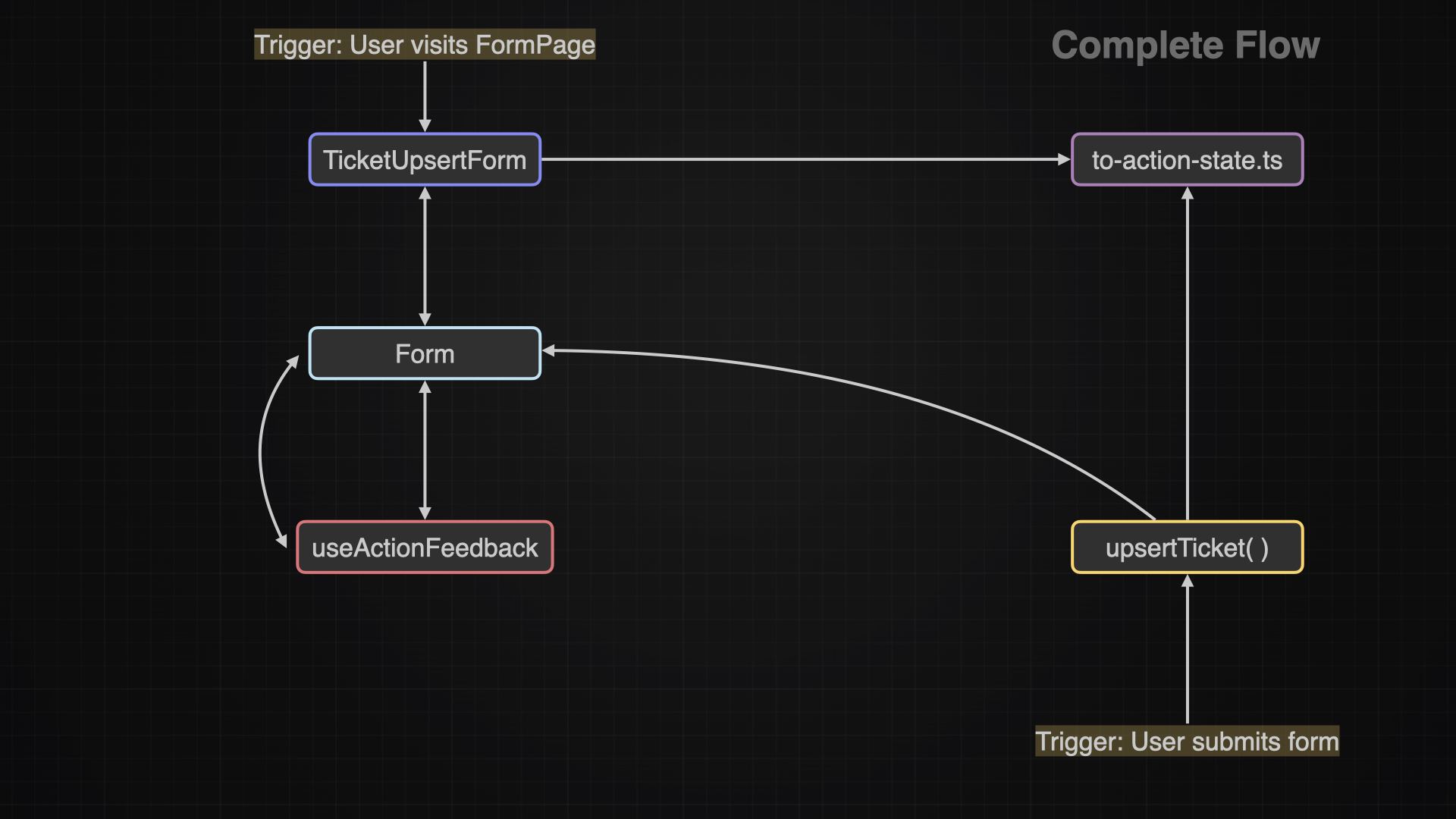
A form can have different flows, wich all will be covered in the chapters below. There is a the initial flow wich just prepares the form, once it enters the viewport. Then there is the error flow wich occurs when the user submits the form but something goes wrong. And finally there is the success flow where everything goes well as intended.
Initial Flow
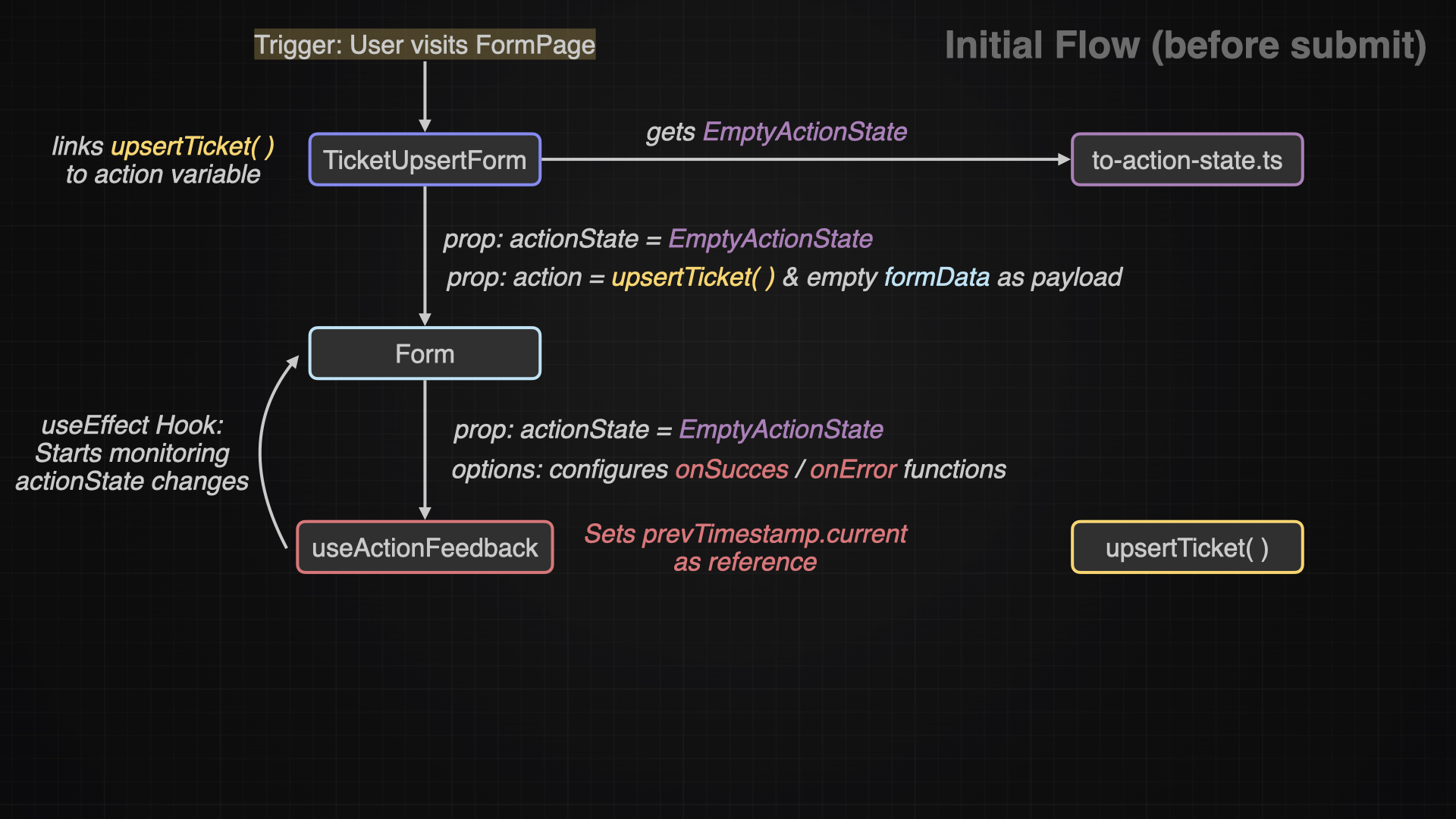
This flow represents everything that happens, once the form enters the viewport.
In a nutshell: The TicketUpsertForm creates the initial state which is the EMPTY_ACTION_STATE it gets from the to-action-state.ts file. And it also links the upsertTicket() function.
It will then pass down this two values to the Form. The Form implements the useActionFeedback hook which will monitor if there is a new actionState (created on submit) with comparing the timestamps.
And now everything is waiting for a user interaction.
Submitted Flow on Success
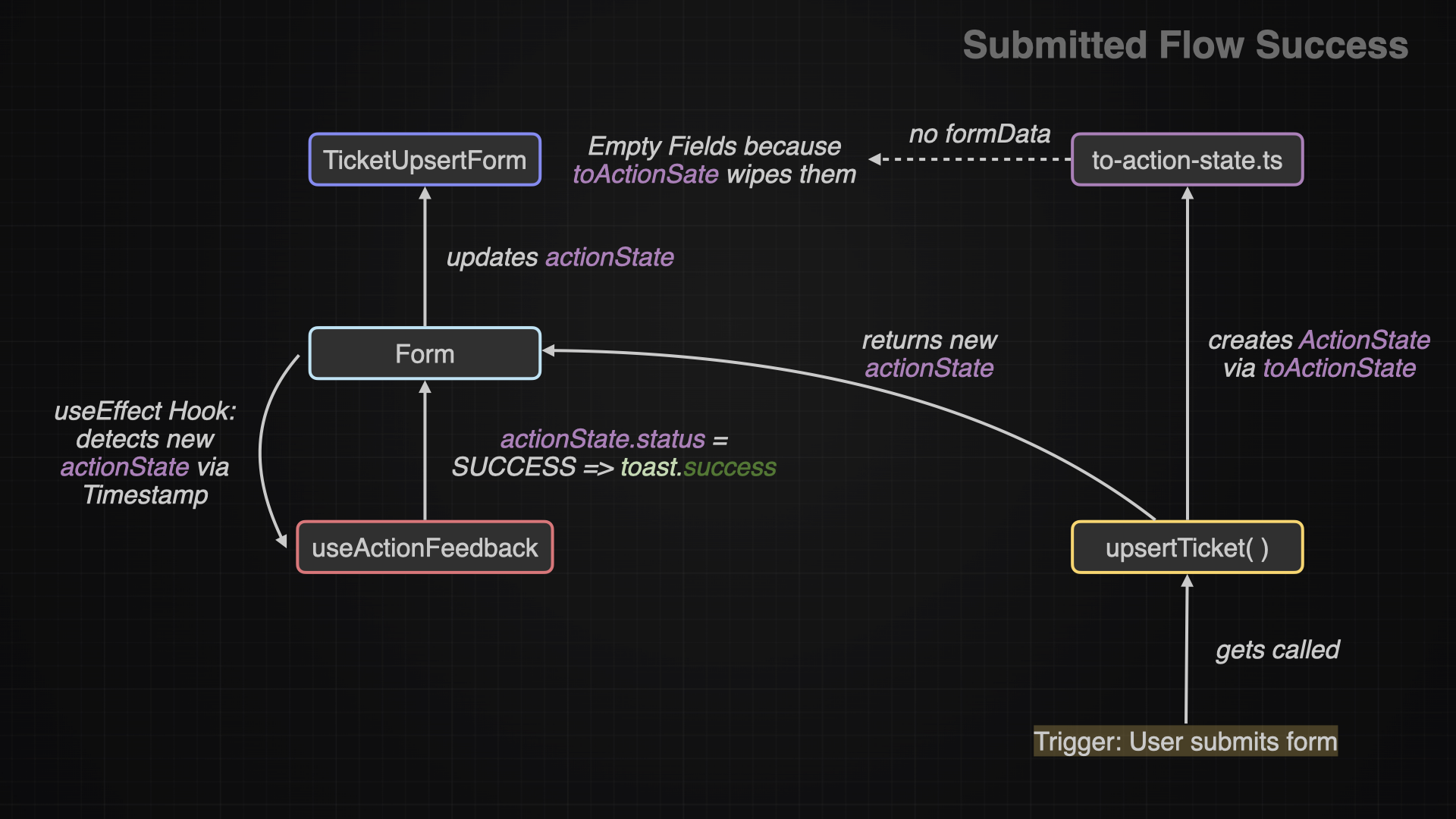
If the user submits the form, the upsertTicket() will run some checks and if they pass, it will create a new actionState. The useActionFeedback hook will detect this change and trigger the toast message. Then the TicketUpsertForm gets re-rendered with the successful actionState. This state has no previous formData, thats why the form will be empty - the intended behavior in this situation.
Submitted Flow on Error
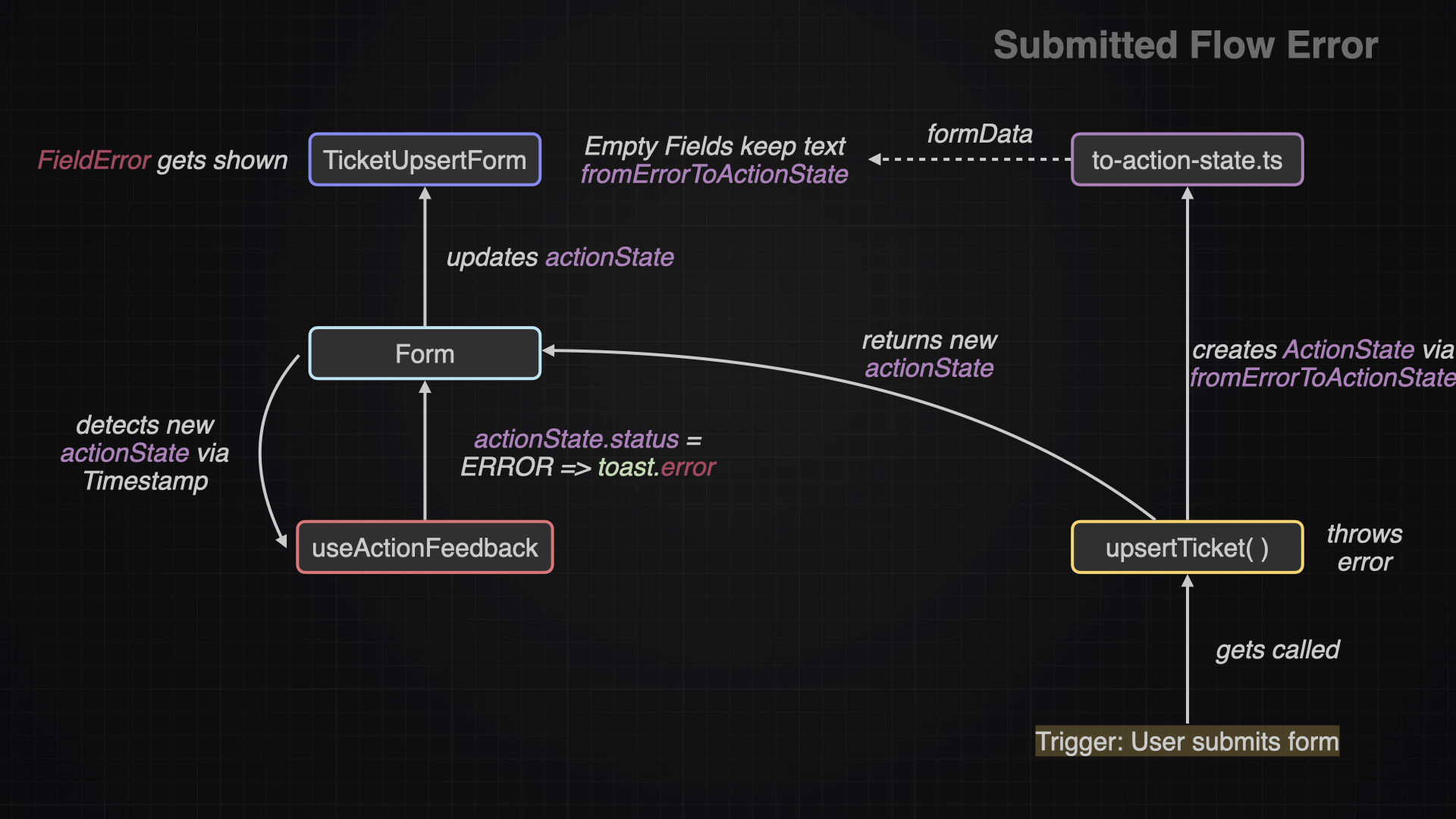
If the user submits the form, there is the possibility that something went wrong (zod validation, database, unknown). In either case it will create a new actionState. The useActionFeedback hook will detect this change and trigger the toast message. Then the TicketUpsertForm gets re-rendered with the error actionState. This state contains the error messages and the previous formData. This enables to repopulate the form fields with a default value which the user will experience as if the fields would’t have been wiped at all. In case of an zod validation error, the TicketUpsertForm will display the FieldErrors. This is possible, because the fieldErrors read the current actionState and detect that there are fieldErrors, which is the condition they need for being displayed.
Conclusion
Understanding the different flows that are possible is a key part of understanding the forms as a whole. It took me some time to finally understand what each components does or when and how it gets triggered.