Introduction
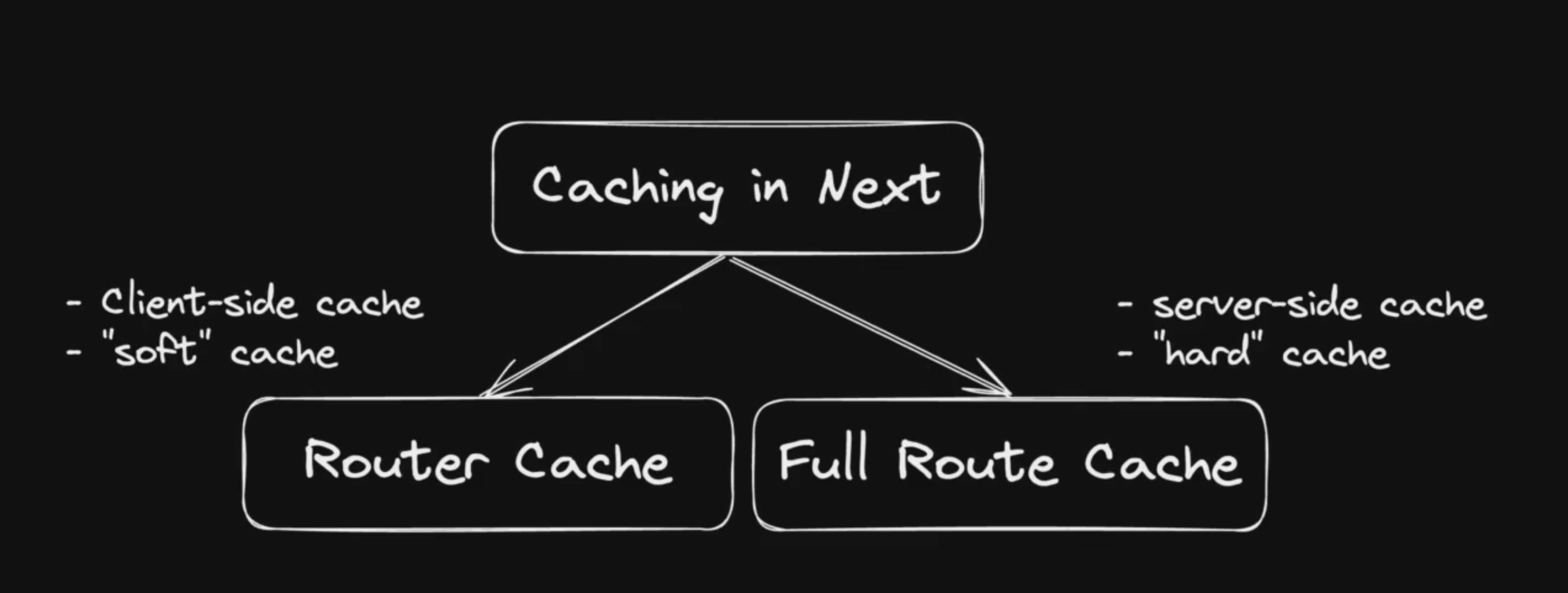
Caching works just like a RAM. Both store frequently used data in case of further reuse and therefore faster response times.
The Client Site Router Cache
This kind of cache only runs on the client side in the users browser and therefore is individually for each user.
Production vs Development
Caching doesn’t behave the same way in prod and dev mode, thats why I need to test it in both cases separately to make sure it works as intended.
| Overview |
|---|
| When to use which caching strategy? |
| How do i know whats static or dynamic? |
| Request Memoization |
| Data Cache |
| The prefetch modes of Next.js Link component |
When to use which caching strategy?
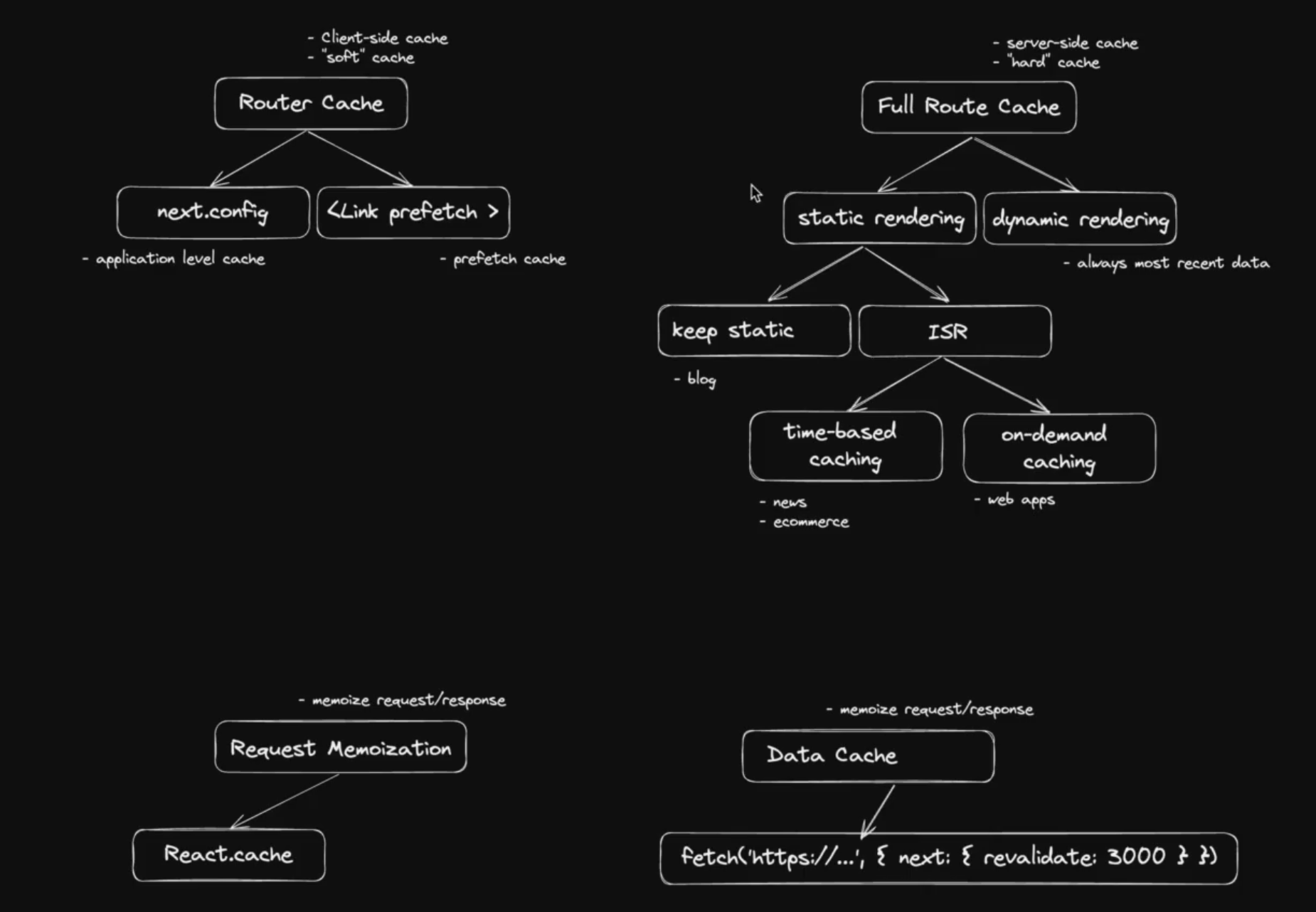
Static Rendering
Use static rendering when you have a page that does not change often. This is useful for pages that contain static data like a blog post or a product page.
Dynamic Rendering
Use dynamic rendering when you have a page that changes often. This is useful for pages that contain dynamic data like a dashboard or a real-time collaboration tool.
Prefetch Cache
Use prefetch caching when you want to improve the performance of client-side navigations. This is useful for pages that contain data that is linked to other pages like a real-time collaboration tool or a public API.
Time-Based Caching (ISR)
Use time-based caching when you have a page that needs to be updated at runtime. This is useful for pages that contain data that changes frequently like a news feed or a leaderboard but can be cached for a certain amount of time.
On-Demand Caching (ISR)
Use on-demand caching when you want to forcibly purge the cache response. This is useful for pages that contain data that needs to be updated after a certain event has occurred like an e-commerce page or an admin panel.
Request Memoization
Use request memoization when you want to cache the response from requests made with fetch. This is useful for components that make multiple requests to the server during a user’s request.
Generate Static Params
Use generateStaticParams when you want to cache the result of a dynamic page at build time. This is useful for pages that contain data that is not frequently accessed like a detail page of a ticket.
How do i know whats static or dynamic?
Whenever I start my application in production mode, I will find the answer to this question in the terminal output.
| What is static and dynamic even about? |
|---|
| 2 Kinds of Server Rendering |
Route (app)
┌ ○ /
├ ○ /_not-found
├ ○ /tickets
└ ƒ /tickets/[ticketId]


○  (Static)   prerendered as static content
ƒ  (Dynamic)  server-rendered on demand
Request Memoization
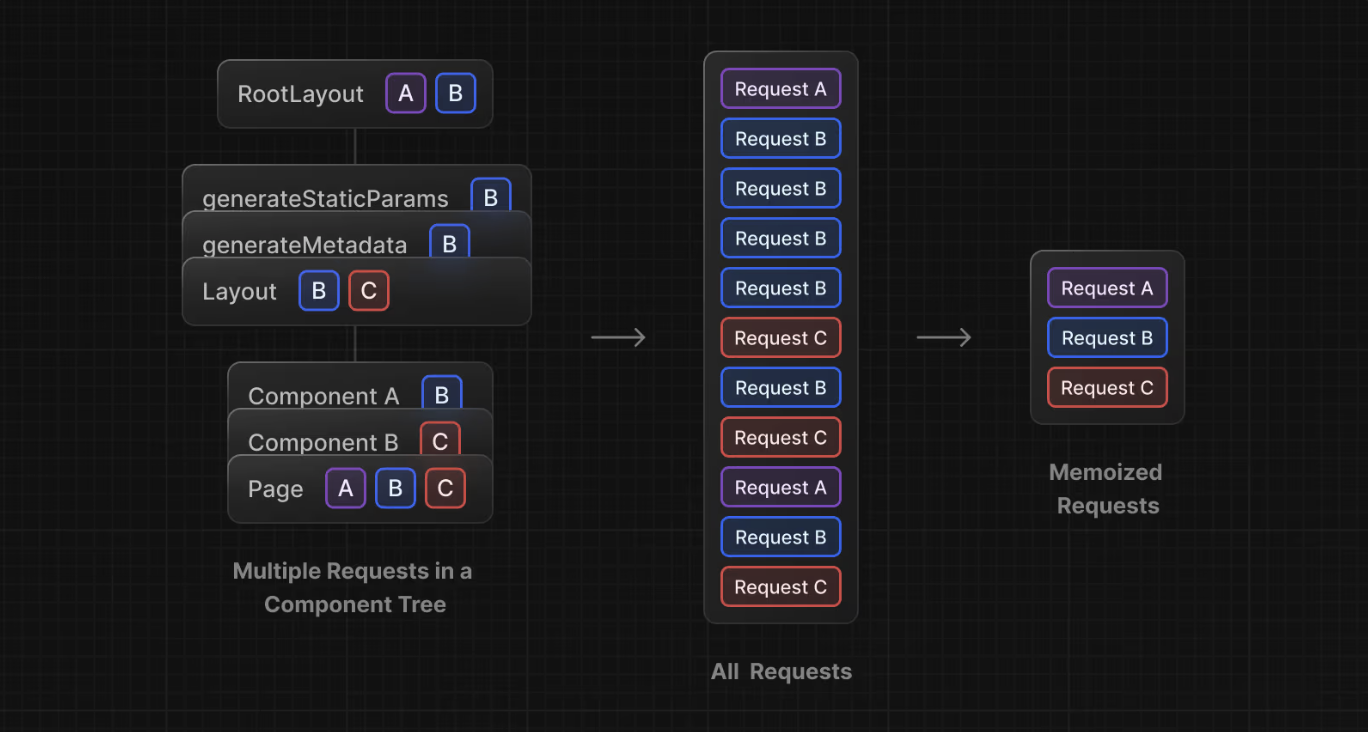
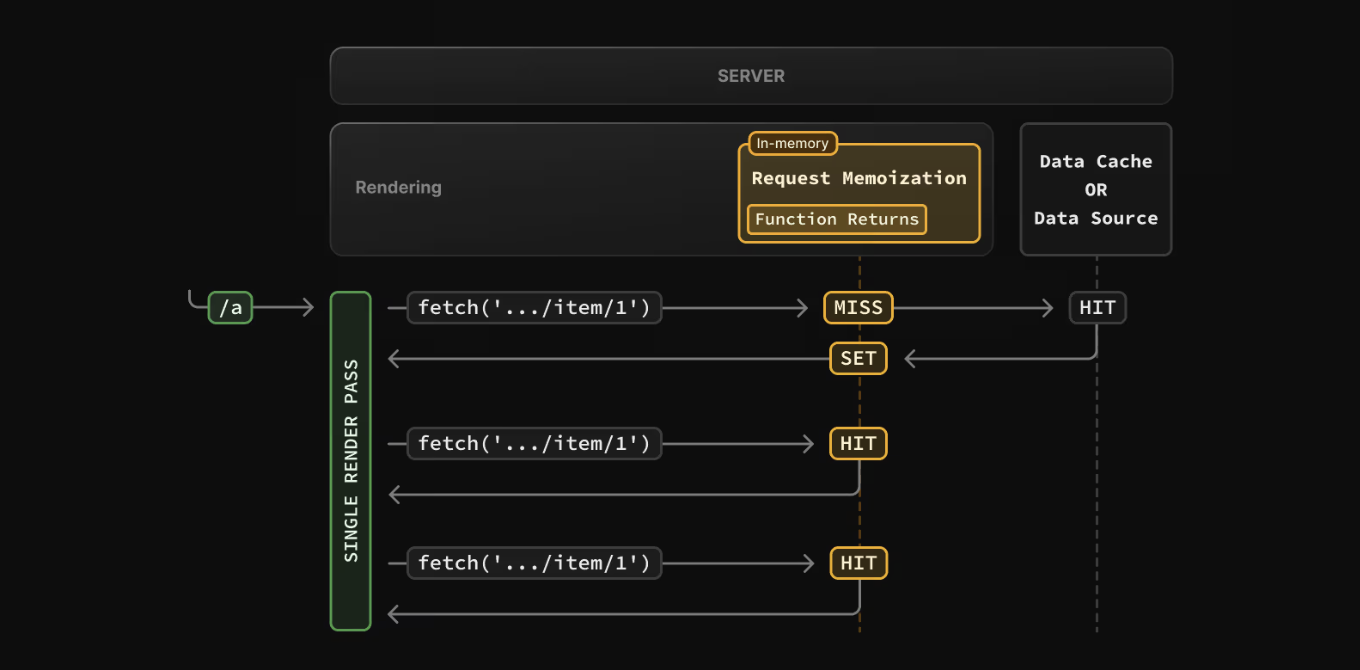
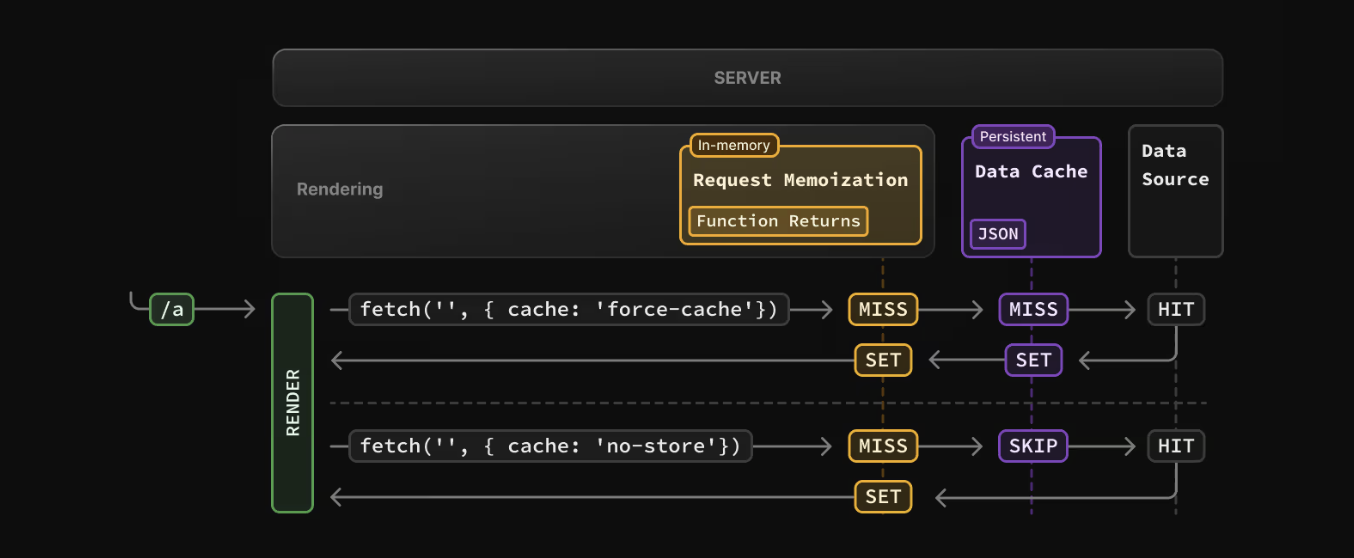
With request memoization, I can avoid to send the same request several time, instead I can bundle them.
Implement
All I need to do to implement request memoization, is to wrap my fetch in the cache( ).
import { cache } from "react"

export const getDouble = cache(...) // Wrap to make use of MemoizationData Cache
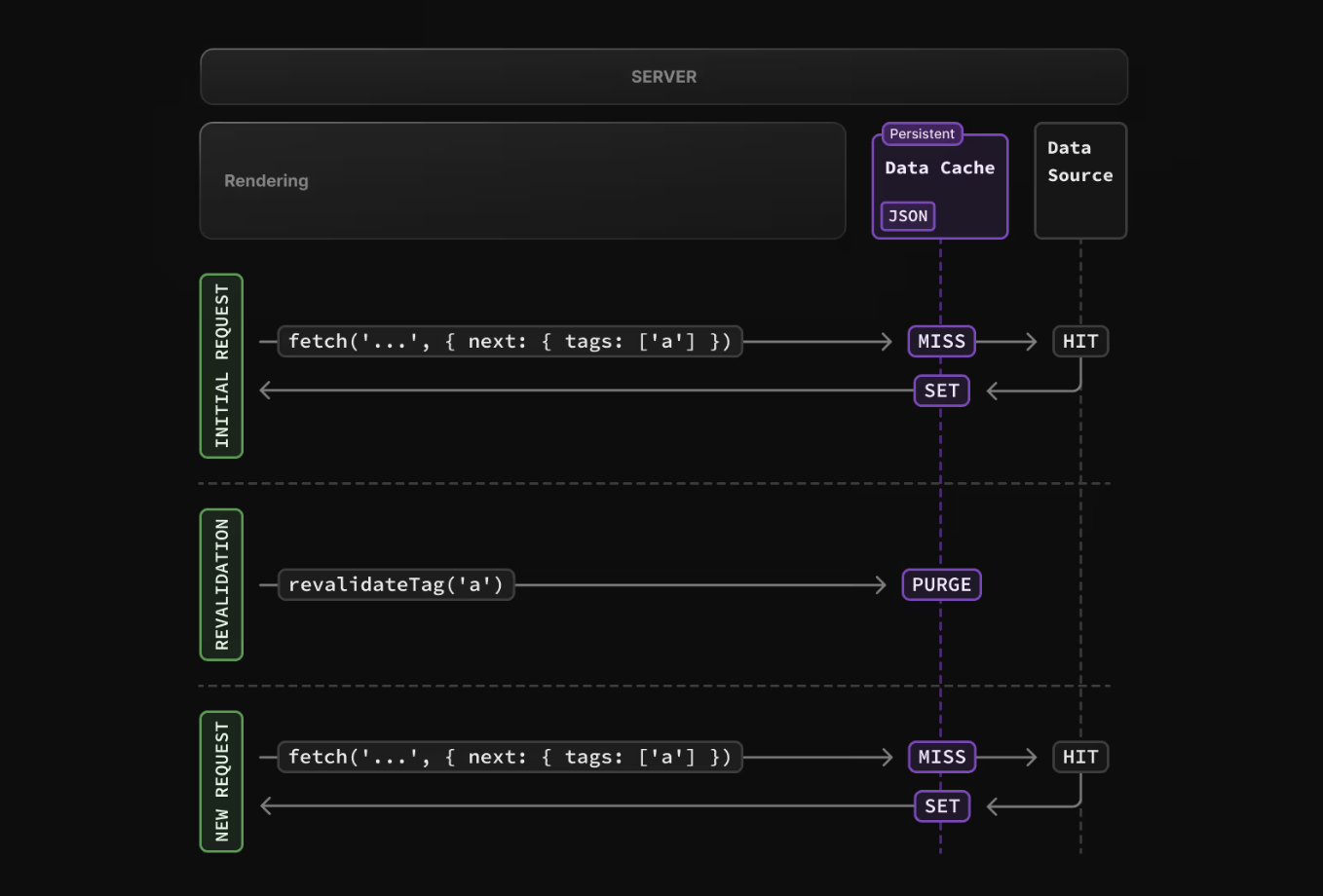
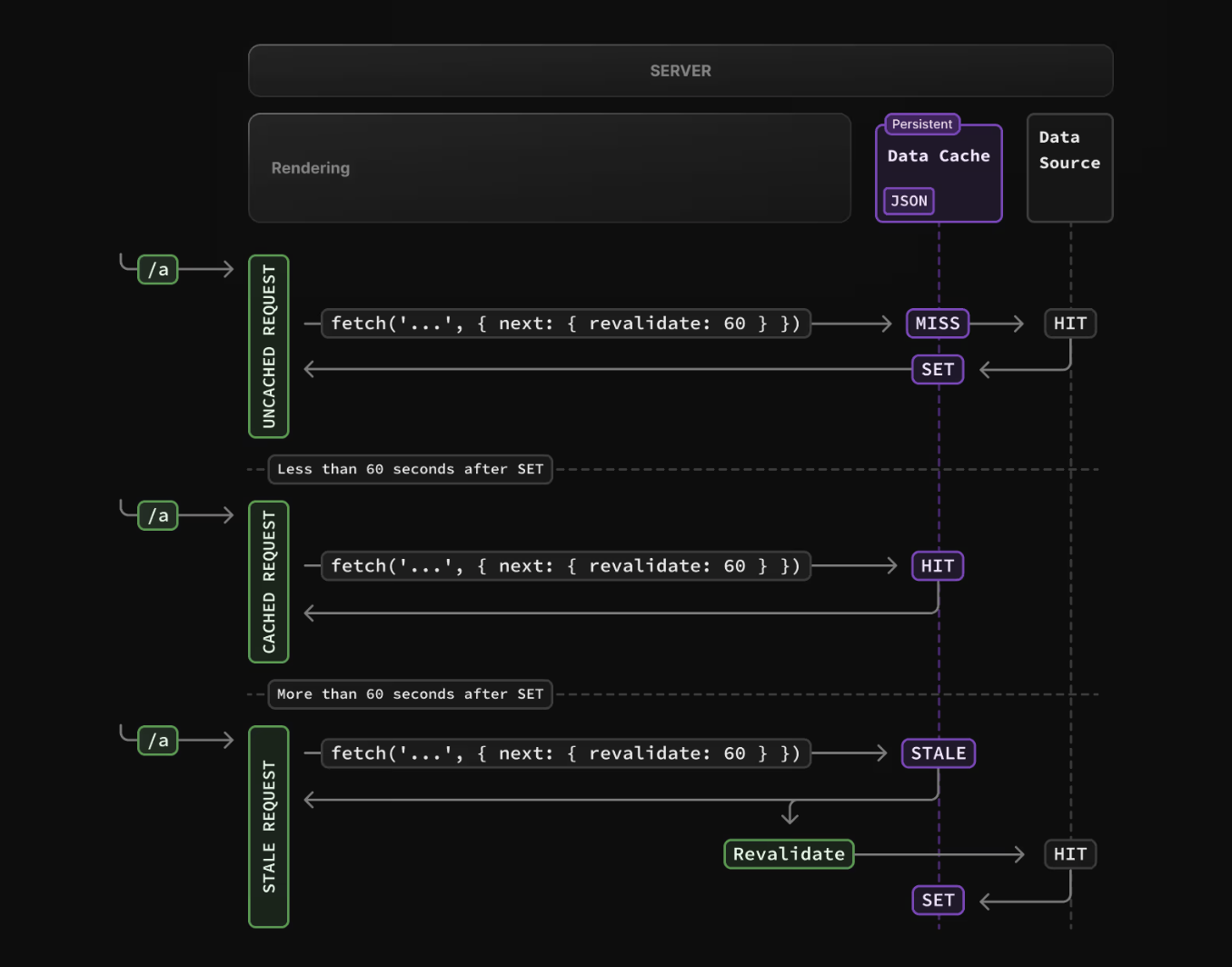
I can cache data for later reuse. Note that the Data Cache is persistent across incoming requests and deployments. Its still possible to revalidate the data with On-Demand Revalidation or Time-based Revalidation.
When to update the cache?
It’s possible to force a whole page to be dynamic, just to make sure that the content stays up to date. However this is not the best practice since then I need to reload a lot of resources in a defined interval (like for example every 60s). Its better to simply revalidate the Path on the database query instead, so every time the query ran, it makes sure that the specific page got updated.
The prefetch modes of Next.js Link component
The Link components offer the option to choose between:
auto
Prefetches full static but only partially dynamic routes.
<Link></Link>false
Prefetching will never happen neither on entering the viewport nor on hover.
<Link prefetch={false}></Link>true
The full route will be prefetched for both static and dynamic routes.
<Link prefetch></Link>Conclusion
Caching and prefetching are huge topic with tons of possibilities to improve the speed and reduce the requests. This is a though topic that I definitely will have to explore further to truly understand it’s full impact. lookup✏️