Introduction
Many things can go wrong with forms since they aren’t the easiest part to implement. Creating a fully functional form that handles errors well without wiping your form fields needs several functions and components to work together. It’s a complicated process, thats why this article only covers the theoretical part on how forms components work.
| Overview | Description |
|---|---|
| Interaction of various components | An overview over the components |
| ActionState | Stores Messages, Formdata and more |
| TicketUpsertForm | Custom form for upserting tickets |
| upsertTicket() | Function that gets triggered on submit |
| Form | Template that share logic for forms |
Interaction of various components
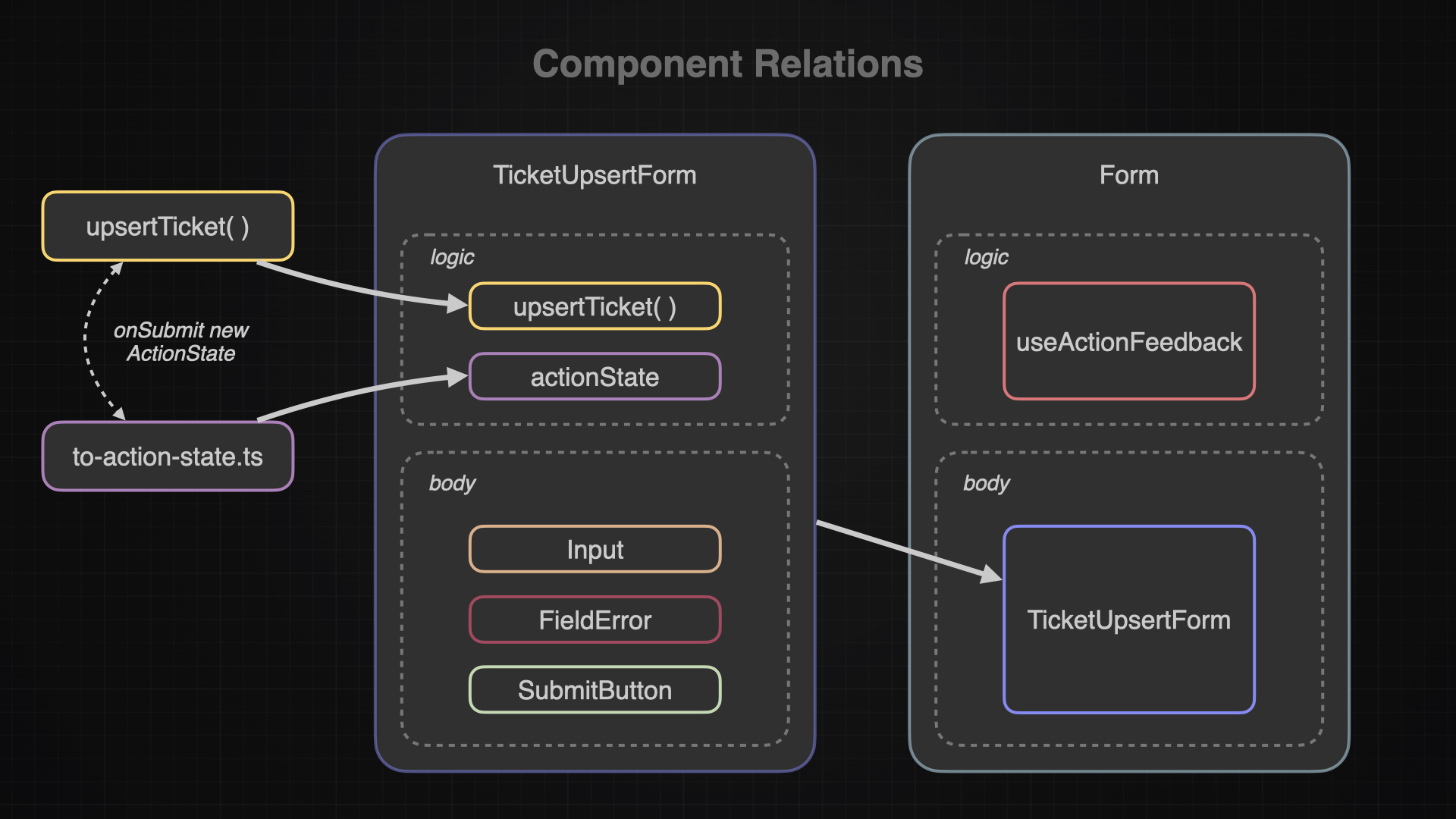
A fully functional form requires various different components that work together. I will break down and explain what the purpose and functionality of each one of them is. The following diagram shows the rough overview on how these components interact with each other:
ActionState
The ActionState will store all formData and error and enables to form to access these values and show certain components or values when needed
The actionState plays a key role in the form process. According to the actionState, the form will act in a certain way. For example it might show error messages or keep content stored in a input field. The actionState is kinda like a messenger who is sent when a form gets submitted. He will let the form components know what to do, how to behave and what elements to show.
A actionState can be anything from a string to a number or even a whole type. I happened to find this article very useful when learning about the functionality of the actionState:
In this application the actionState will be this of this type:
export type ActionState = {
  status?: "SUCCESS" | "ERROR";
  message: string;
  payload?: FormData;
  fieldErrors: Record<string, string[] | undefined>;
  timestamp: number;
};
to-action-state.ts
View the Code 👨🏽💻 to-action-state.ts
This file is the place where the actionState gets defined. It not only stores the type definition but also offers an EMPTY_ACTION_STATE for the initial state used in the TicketUpsertForm.
Additionally it provides the fromErrorToActionState function which can, as the name indicates, turn an error (zod validation error, database error, unknown error) into an usable actionState. Or it also can create an actionState via the toActionState function which will be only used in a successful form submit.
Both functions are necessarily for giving the outcome or the past formData back to the form so the form can react and show components like the error messages or display the toaster message.
TicketUpsertForm
View the Code 👨🏽💻 ticket-upsert-from.tsx
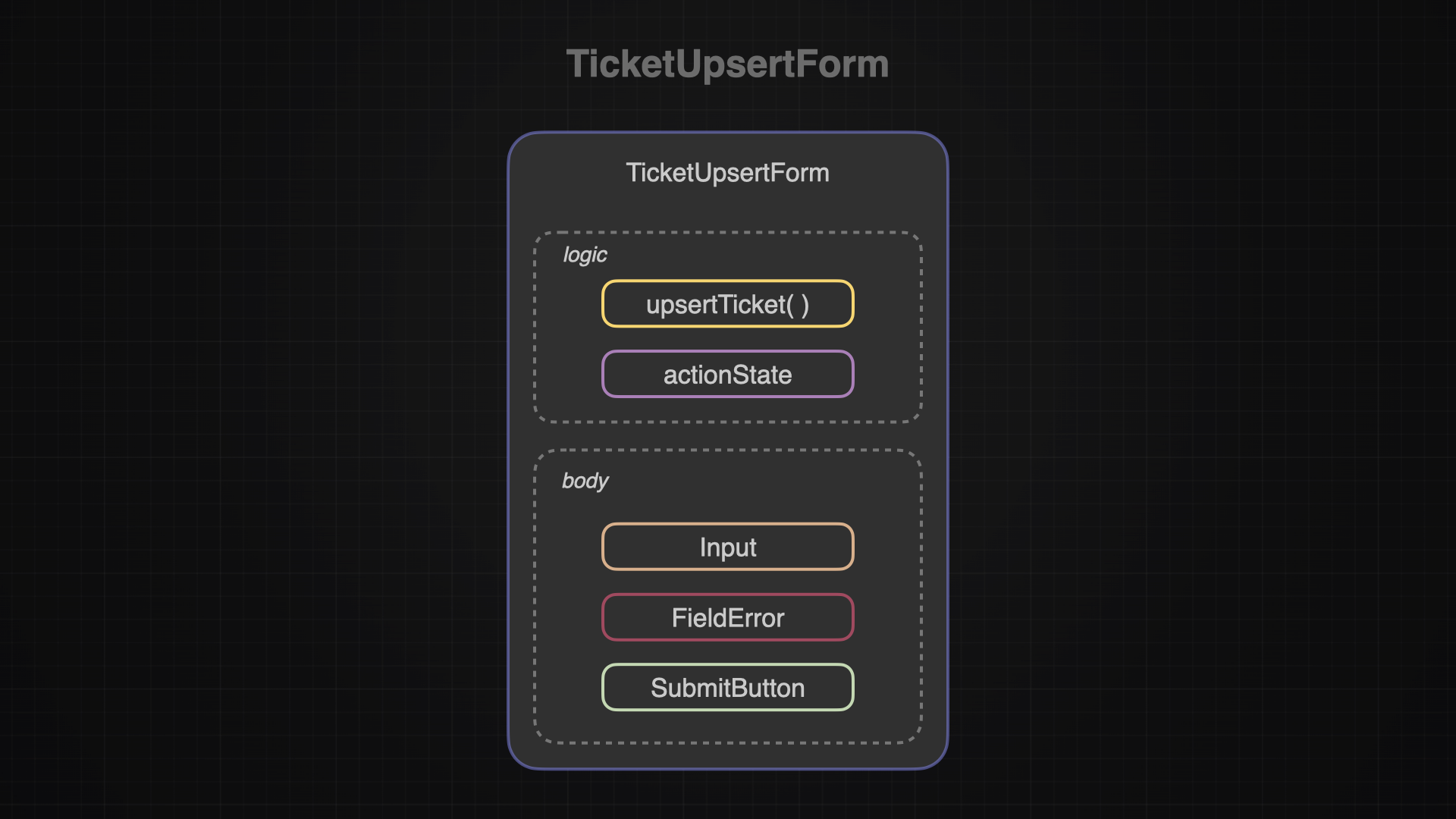
The ticketUpsertForm creates and manages the actionState. It acts as a single source of truth and all children will get the currentActionState form the TicketUpsertForm.
Initially with the useActionState ReactHook, the TicketUpsertForm will bind the upsertTicket function to the action variable and also define the EMPTY_ACTION_STATE as an initial actionState.
const [state, formAction] = useActionState(actionFn, initialState);It also defines how the form looks like, implementing the Labels, Inputs, SubmitButton and even the FieldErrors. Depending on the actionState it will show FieldErrors and displays defaultValues within the Inputs and Textareas.
Input & Textarea
View the Code 👨🏽💻 Input
There are different outcomes for displaying the defaultValue. On the initial rendering, the defaultValue will be empty since it just received the EMPTY_ACTION_STATE from the TicketUpsertForm. This can occur when the user wants to create a new ticket, so he expects an empty form.
But if the user decided previously to edit a ticket instead of just wanna create a new one, he will click on the editButton which then will forward to the TicketUpsertForm and attach a ticket as parameter. In that case the Input will instead display the ticket.title.
There is also a third outcome; there might have been an error when submitting the form. Each error will then return a new actionState wich contains the old formData as an payload. In this case the Input would display the previous content. This behavior makes sure the forms wont be wiped because of an error.
SubmitButton
View the Code 👨🏽💻 submit-button.tsx
The SubmitButton makes use of the useFormStatus ReactHook. This hook will observes the status of the nearest ancestor form. Once the user submits the form the ReactHook will detect it and make the isPending variable to true. Then the conditional rendering will display an animated loading icon and also disable the button until the submitting is completed.
FieldError
View the Code 👨🏽💻 field-error.tsx
FieldErrors will receive the current actionState from the TicketUpsertForm. If there was an zod validation error during a form submit, the actionState will have some fieldErrors stored and these will then be displayed.
upsertTicket
View the Code 👨🏽💻 upsert-ticket.ts
UpsertTicket is the function that gets triggered once the user submits the form. This function will verify the content of the input fields via zod. Then it will try to modify the database. There are two outcomes:
A) Everything worked out and a new actionState with the status SUCCESS will be returned and replaces the old actionState within the TicketUpsertForm.
B) There was either a zod validation error, a database error or an unknown error. In either case, a new actionState gets created with the status ERROR.
Form
View the Code 👨🏽💻 form.tsx
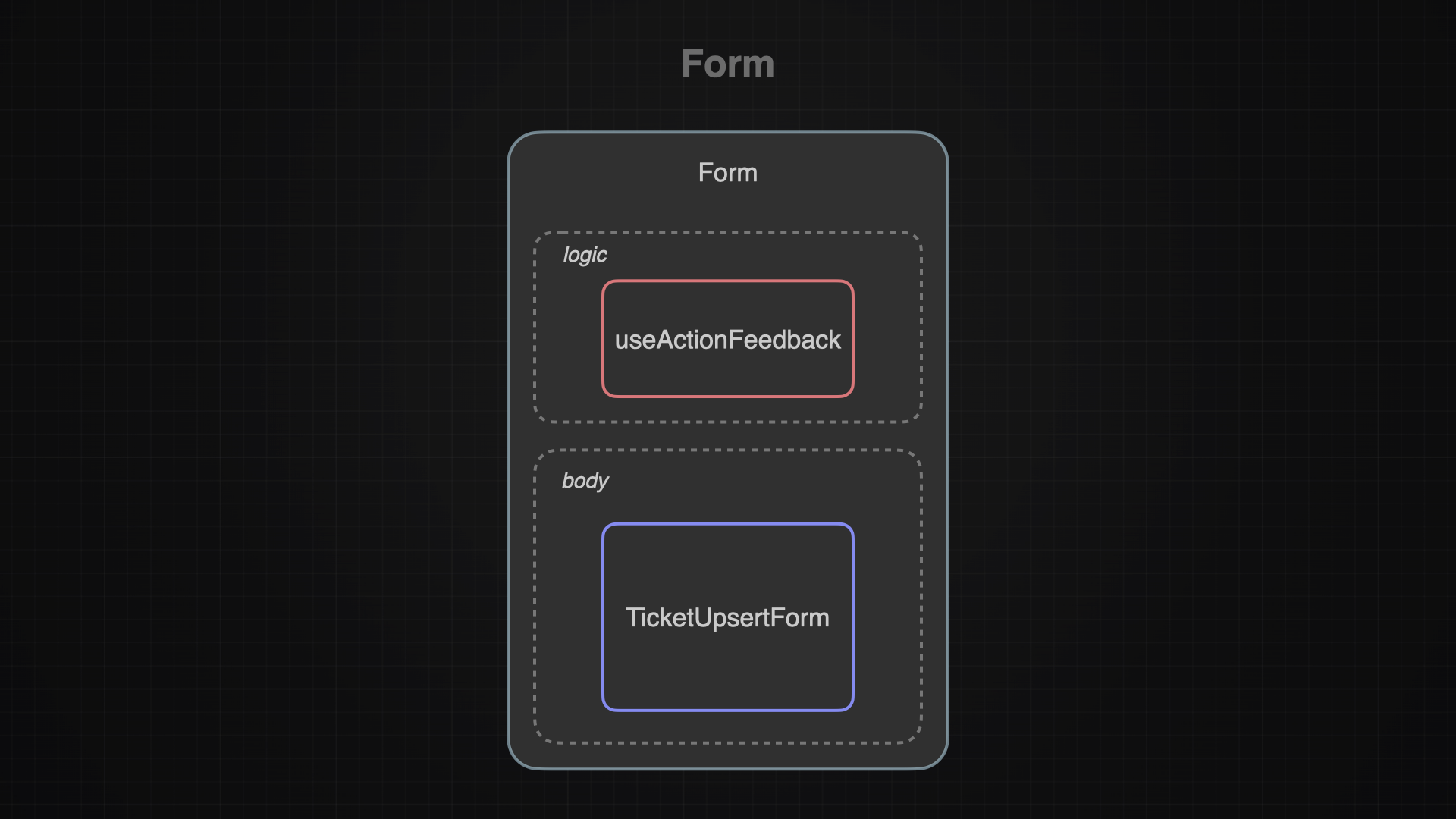
The forms main purpose is to enable the useActionFeedback logic across all forms in the application. It kinda acts as a template in some sort of way.
With that I can create different forms just like I did with the TicketUpsertForm and still make sure all my forms will be able to monitor the actionState with the useEffect ReactHook wich is implemented in useActionFeedback.
Besides that, the Form also defines the logic for the onSuccess and onError functions which in this case will create a toast message.
useActionFeedback
View the Code 👨🏽💻 use-action-feedback.tsx
The useActionFeedback is the one component that monitors whether there was a new actionState created or not. Every time the form gets submitted, the useEffect() hook gets triggered as well as a sideeffect.
It will then compare the previous actionState to the new actionState via comparing the timestamps. If the timestamp matches, it means there are no changes needed but if not, then there are two possible outcomes:
A) The form got submitted successfully, therefore a new actionState got created via the toActionState function. Now the useActionFeedback will run the onSuccess function defined in the form and show a toast message.
B) The form submission had an error (zod validation, database or unknown) and create via the fromErrorToActionState function a new actionState. Now the useActionFeedback runs the onError function defined in the form and show a toast message.
Conclusion
Understanding the form process wasn’t easy at all and took me several days. I never imagined there are so much things going on behind the scenes when submitting forms - I will definitely stop a moment and appreciate the next forms im gonna fill out. I believe I reached now a point where I understand the basics of forms good enough for working with them, but I still believe my description in this article might not be entirely accurate - hint at future me to come and verify the content once I know more.