Introduction
The App Router is an incredible tool that helps to easily create routes with only having to follow a certain file-naming-convention and staying within the /app folder. In this article I will talk about some of the most relevant files, one should know about.
| Overview |
|---|
| Subtree |
| Files - page, layout, loading, error |
| Folders - dynamic routes, route groups, private folders |
| Conclusion |
Subtree
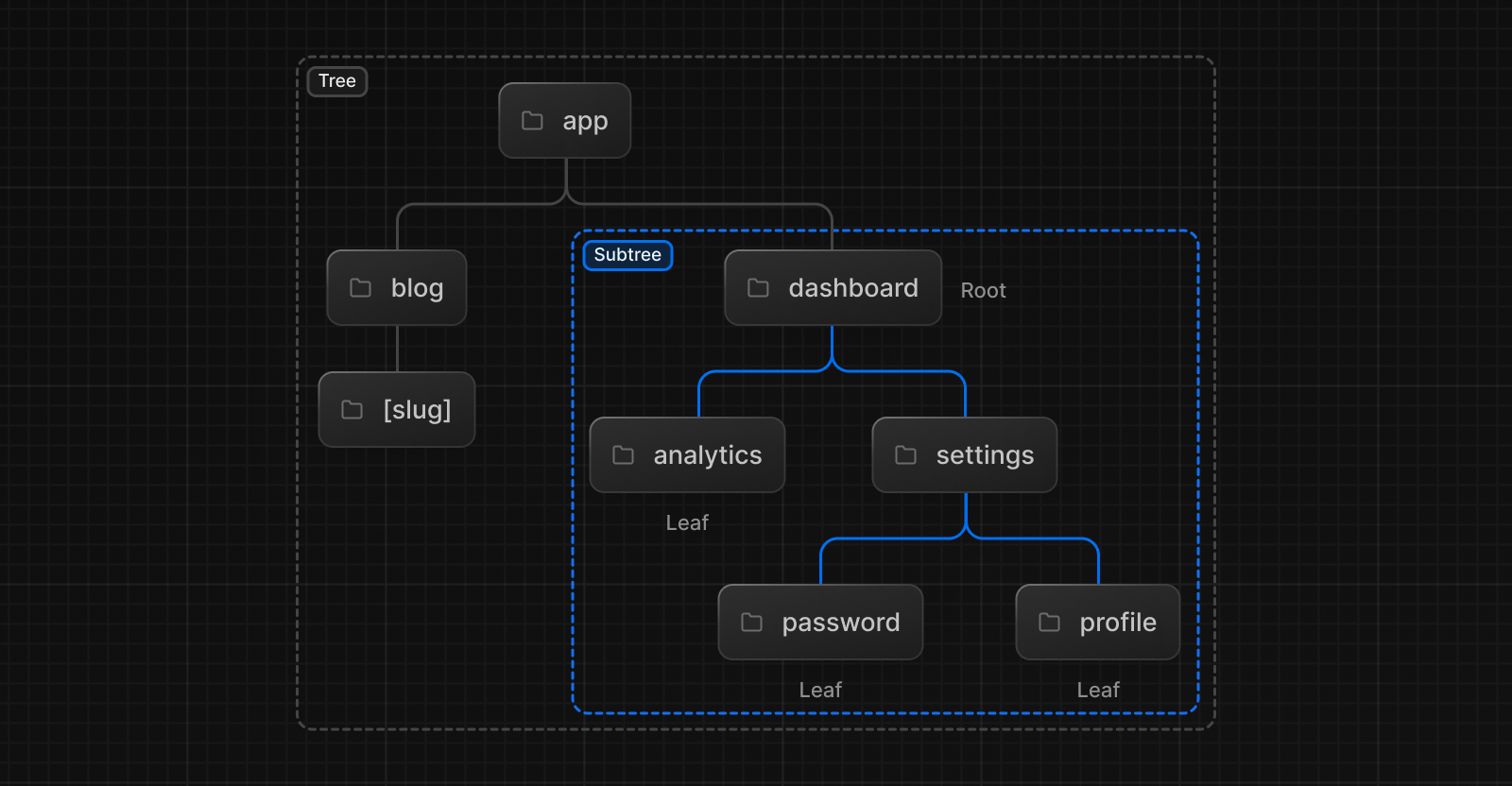
A next application is basically just a bunch of subtrees stacked to one and another. Within each subtree I can have Files like layouts, that won’t interact with other subtrees. So each subtree can define it’s own custom files.
Files
page.tsx
Every page.tsx file within the /app folder will become an route. So all I have to do for creating different pages for my website, is to create different folders with page.tsx files, the rest is handled by next. I already talked about an good example in the Project Structure Notes.
app/blog/page.tsx => /bloglayout.tsx
The layout.tsx file is great because it lets me share components with several pages. Often different sides on my website will have the same footer or header and therefore it would be wasteful to always have to re-render them. Since the layout.tsx will share these components, they don’t need to be re-rendered every time the page changes.
This are some facts that are good to know:
- Layouts share components to the full subtree
- It’s possible with Route Groups ( ) or nested routes, to have more than one layouts.tsx file
- Every layout needs to render {children}
- Layouts don’t replace each other, but rather wrap one and another
Root Layout Every application needs a root layout at app/layout.tsx which wraps the whole application. The root layout also needs to define the and tags.
loading.tsx
This file is used to show the user a loading UI while the app is fetching data or is slow for other reasons. Like the layout.tsx, this file also applies to its subtree.
Its good to know, that while the loading.tsx file is displayed, the layout components remain visible.
error.tsx
This client component catches runtime errors futureLink🖇️ in its subtree. If there are several error files, next.js will use the closest one in the route hierarchy.
Errors will reset automatically on navigation or manually via reset( ).
global-error.tsx This file is a fallback error and will replace the entire app UI while bypassing layouts.
Folders
Dynamic Routes [ ]
Its possible to create dynamic routes with adding slugs. These slugs can then be accessed within the component via the slug params. There are different possibilities:
| slug | explanation |
|---|---|
| [slug] | For a single dynamic page |
| […slug] | For one or more segments, allowing the url to continue after the dynamic page. |
| …slug | Optional segments; allowing the path to have deeper segments or not. |
Route Groups ( )
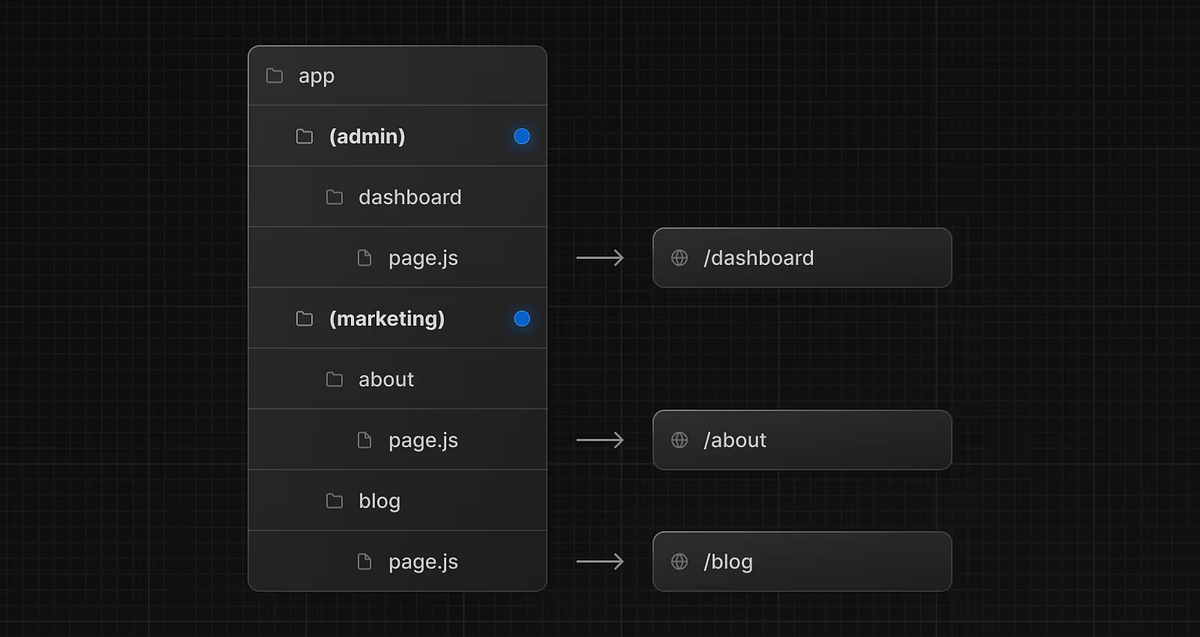
Used to group routes logically without changing the URL. Route Groups only affect the folder structure. They are also used to create different subtree while theoretically still being on the same depth. Therefore they define layout and rendering boundaries.
Private Folders _
Private folders can be imported in other components while staying invisible for the URL. They are often used for storing components, helpers or else related files close to their used route.
Example of a private folder
_componentsNote Since I like to use the features folder for my project specific components and use the app folder only for routing, I probably won’t make use of private folders all to often.
Conclusion
The App Router really increases the developer experience a lot. It’s just super convenient to create folder based routes and make use of the different subtrees to be able to show always a correct UI. And all I need to do is just follow the file-naming-convention.